

Connect Telegram
This guide walks you through connecting Telegram to your Genie environment so you can interact with your AI assistant from your phone or desktop.
There are two ways to connect: the official Genie bot (fastest) or a custom bot you create yourself (full branding control).
Prerequisites
A Genie account with a running server
A Telegram account
Method 1: Use @genie_deva_bot (Recommended)
One click to connect — no setup required.
Step 1: Open Telegram Setup in Genie
Go to your Genie dashboard → Settings → Channels → Telegram. Click Open @genie_deva_bot in Telegram.

Step 2: Open Telegram
Your browser will prompt you to open Telegram. Click Open Telegram.
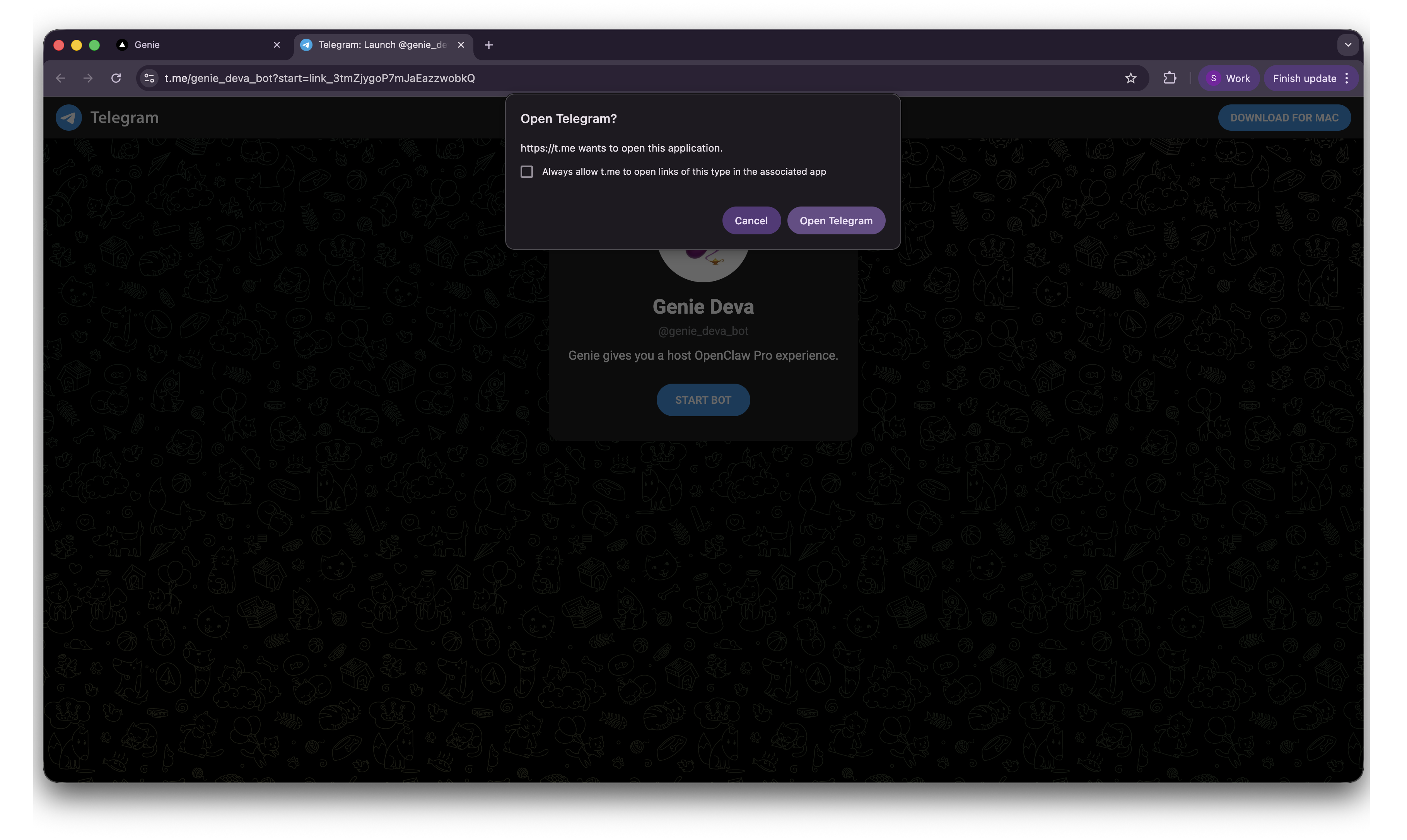
Step 3: Start the Bot
Telegram opens with the Genie Deva bot. Click the Start button at the bottom of the chat.

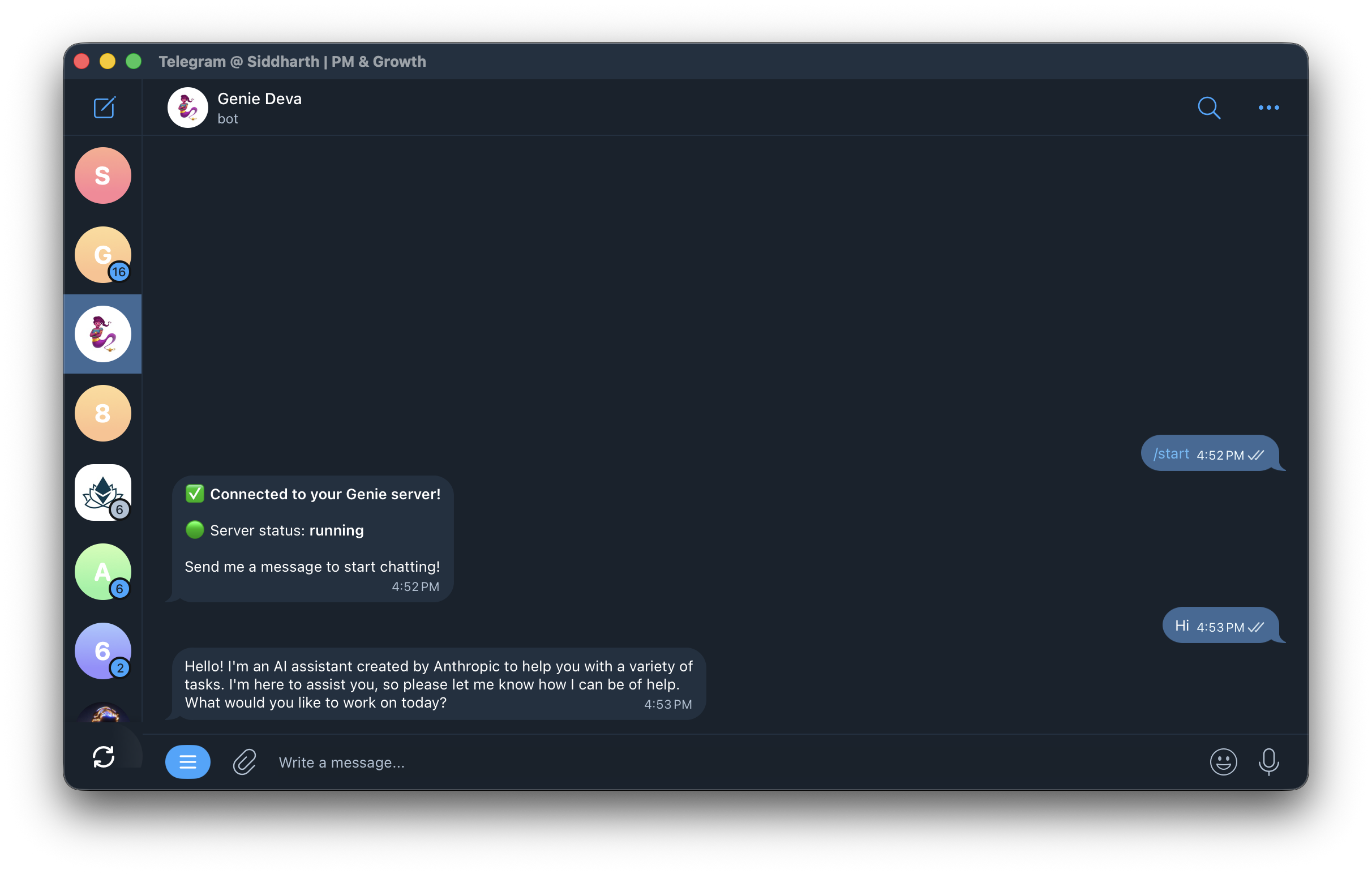
Step 4: Connected
The bot confirms the connection: "Connected to your Genie server!" You can now start chatting.
Method 2: Bring Your Own Bot
Create a custom bot through BotFather for full control over the bot's name, avatar, and branding.
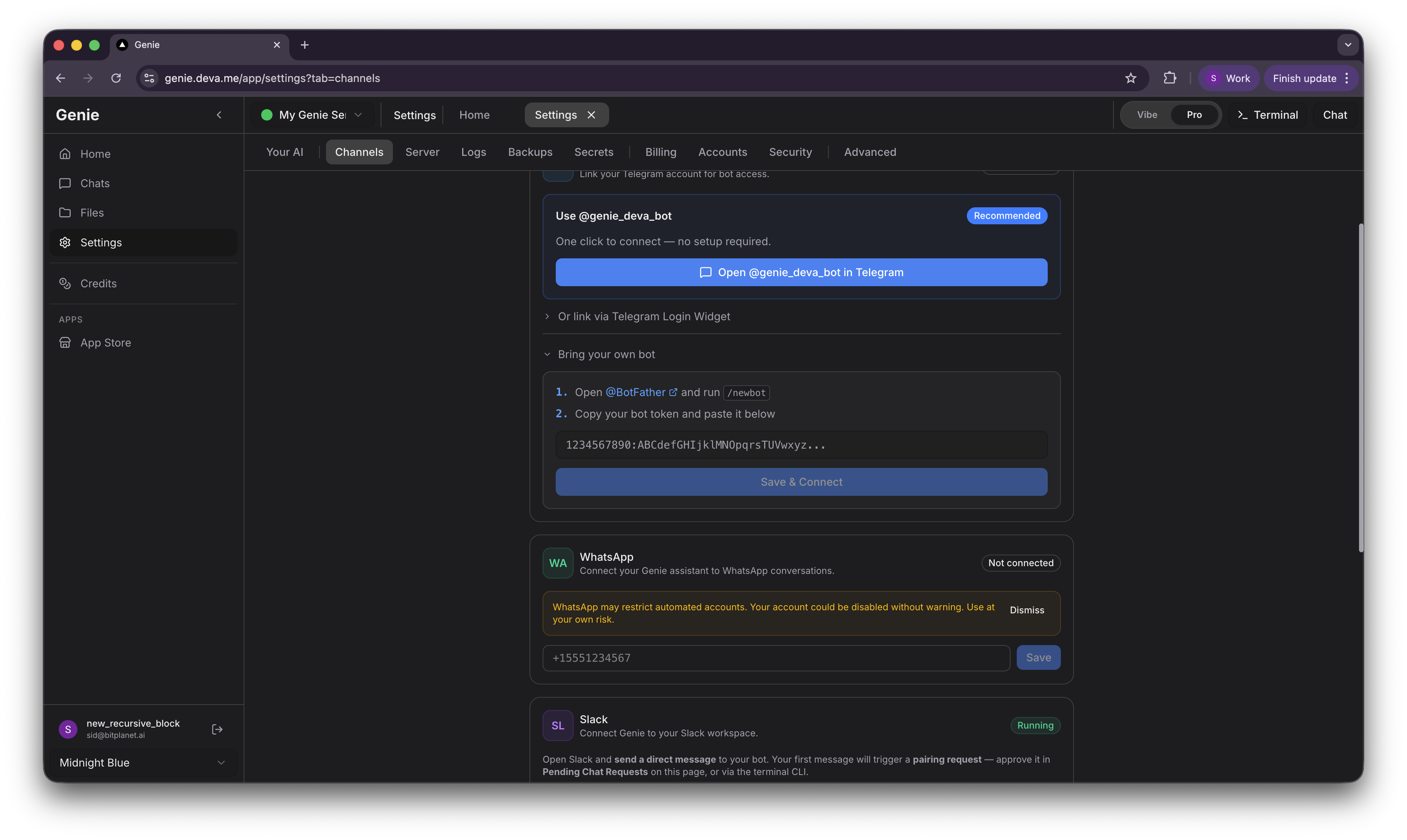
Step 1: Expand "Bring your own bot" in Genie
Go to Settings → Channels → Telegram and expand the Bring your own bot section. You will see instructions and a token input field.
Step 2: Create a Bot with BotFather
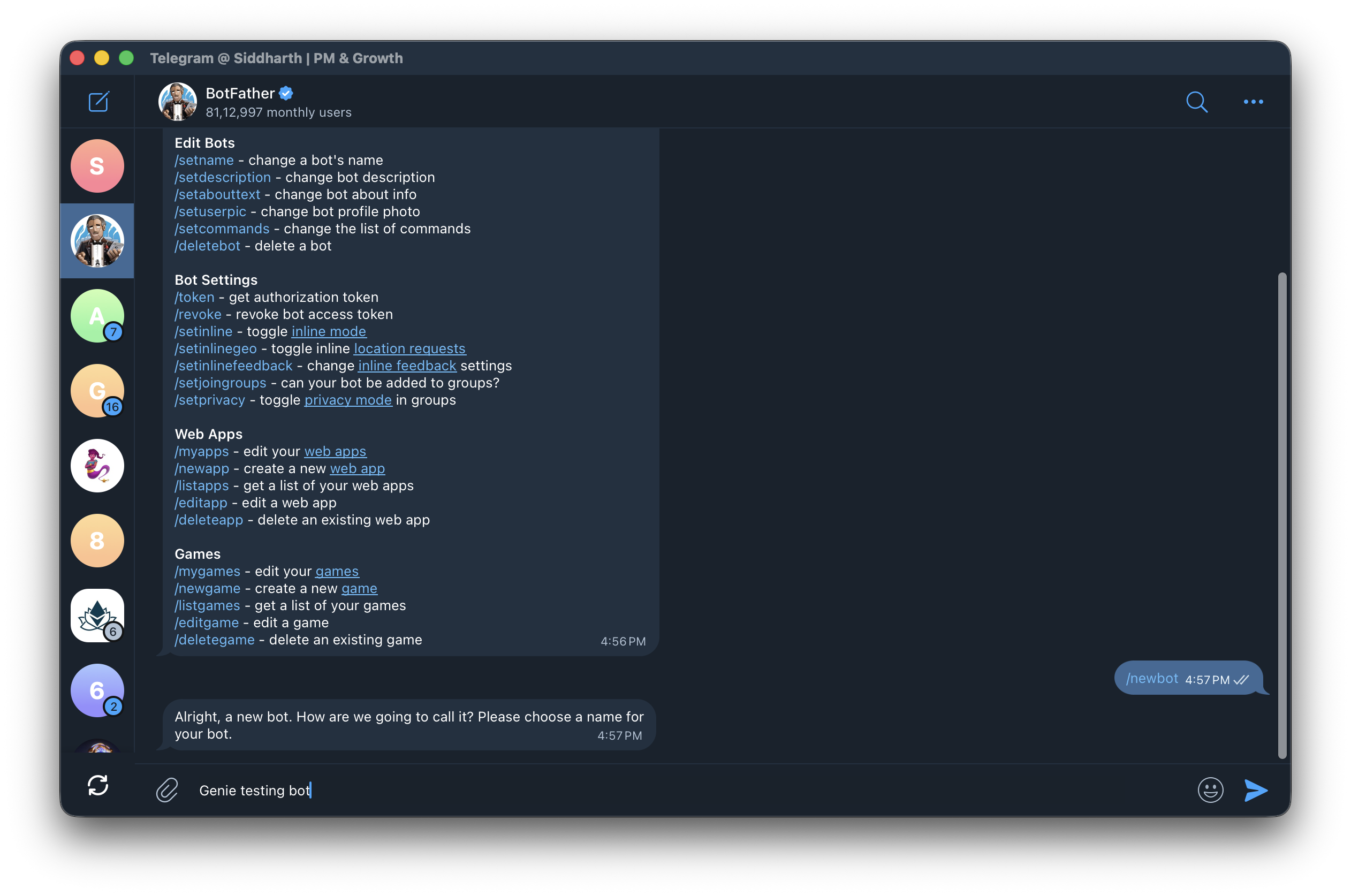
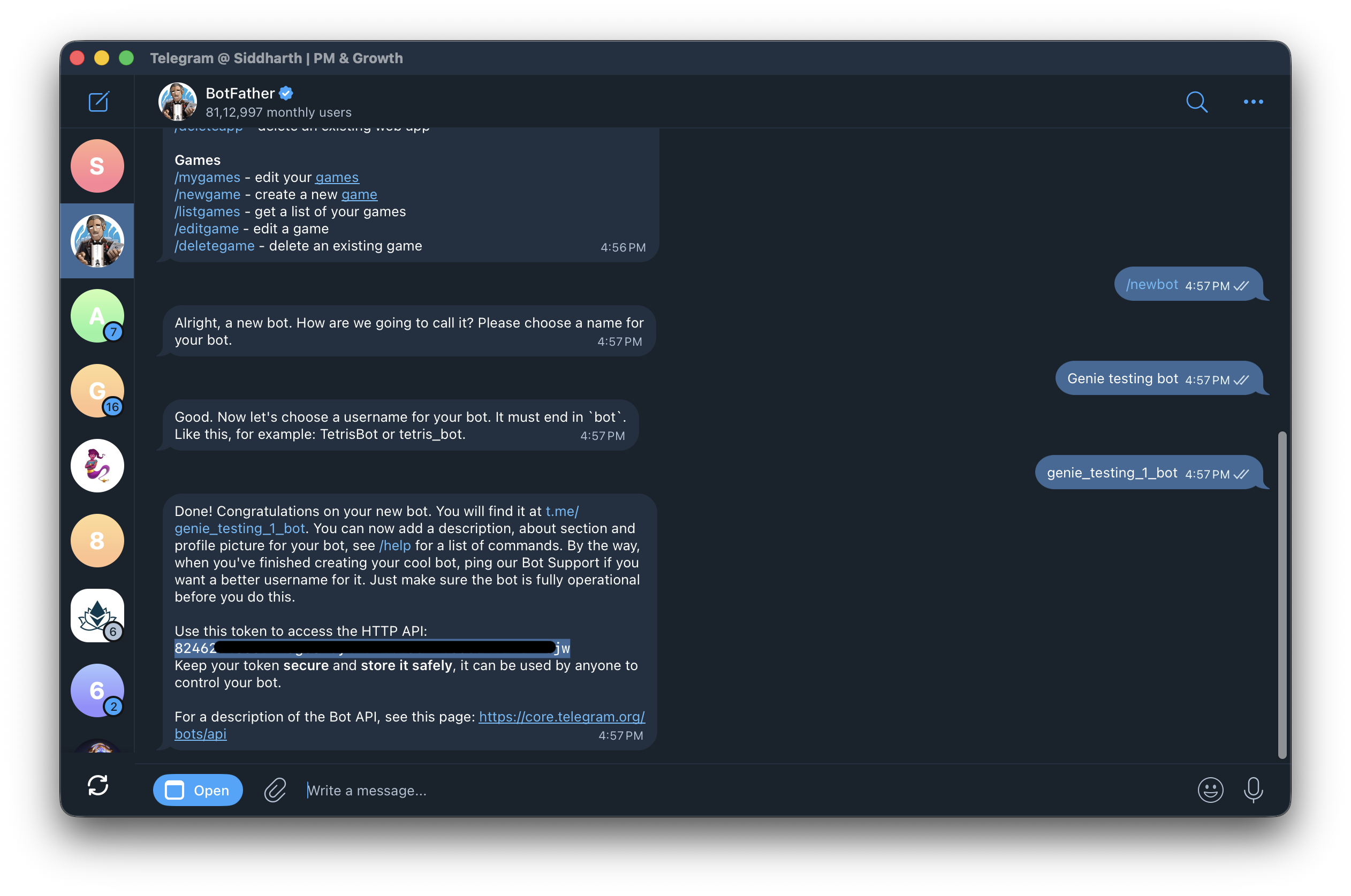
Open Telegram and message @BotFather. Send /newbot to start creating a new bot.

Step 3: Name Your Bot
Enter a display name for your bot (e.g. "Genie testing bot").
Step 4: Set a Username
Enter a username for your bot. It must end in bot (e.g. "genie_testing_1_bot").

Step 5: Copy the Token
BotFather generates your bot and displays the HTTP API token. Copy the token — you will need it in the next step.
Step 6: Save Token in Genie
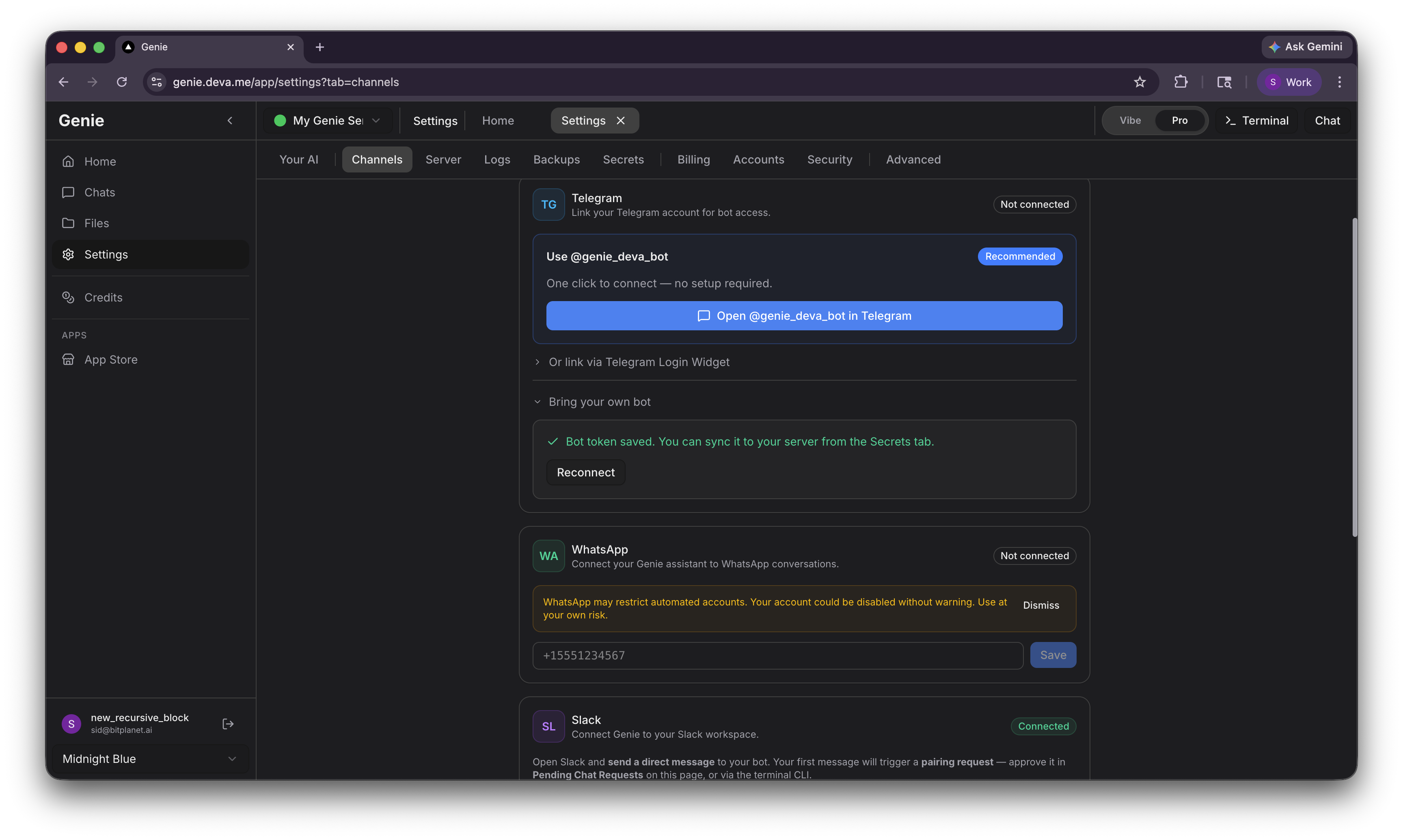
Go back to your Genie settings. Paste the token into the input field under Bring your own bot and click Save & Connect.

You should see a confirmation: "Bot token saved."
Step 7: Start Chatting
Open your custom bot in Telegram and click Start.

The bot will greet you and begin the initial setup. You are now connected.

Tips
Use Telegram for quick questions and status checks
Voice messages are supported for hands-free interaction
Conversations sync across all your Telegram devices
A custom bot gives you full control over branding and identity
You can manage access requests from your Genie settings
Last updated